


How to Create a Mobile App That Actually Succeeds
.jpg)

Creating a mobile app doesn't have to be the overwhelming nightmare most people think it is. I've seen too many entrepreneurs burn through their savings and months of time building apps nobody wants. This guide breaks down the real process of app development - from validating your idea with actual users to choosing the right development approach for your budget and timeline. You'll learn how to avoid the common pitfalls that kill 90% of apps before they even get a chance to succeed.
According to "Fullstory data, between 2024 and 2025, mobile app usage surged by 332%" (Fullstory), but this explosive growth comes with significant challenges—exits caused by errors jumped by 254%, and bounce rates are up 54%. As people spend more time on mobile, they're also less patient with poor experiences, making it crucial to get your app development strategy right from the start.
Table of Contents
- Research and Validation: Making Sure People Actually Want Your App
- Design That Users Will Love (Not Just Tolerate)
- Choosing Your Development Path: Traditional vs. Modern Approaches
- Building the Backend That Powers Everything
- Testing Like Your Success Depends on It (Because It Does)
- Launch Strategy and Growing Your User Base
- How Minimum Code Accelerates Your App Development Journey
- Final Thoughts
TL;DR
- Talk to real users before writing any code - most app failures happen because nobody wanted the solution in the first place.
- Choose your development approach based on your timeline and budget, not what sounds coolest.
- Design for your users' mental models, not your own preferences.
- Plan your backend architecture early - it's harder to fix later when you have thousands of users.
- Test on real devices with real people, not just your development team.
- App store optimization can make or break your launch - treat it like a marketing campaign.
- No-code and low-code platforms can get you to market 10x faster than traditional development.
Research and Validation: Making Sure People Actually Want Your App
Understanding the key stages of the MVP development process is crucial before investing time and resources into full-scale production. Before you fall in love with your app idea, you need to fall in love with your users' problems. I've watched countless developers spend months building features nobody asked for because they skipped this crucial step. Real validation means getting uncomfortable and asking hard questions to people who might actually use your app. It's not about collecting compliments - it's about finding pain points worth solving and problems people will pay to fix.
+3
The competition for user attention is fierce—there are over "3.5 million mobile apps in the Google Play Store and 1.6 million applications in the Apple App Store, while the average global user has 93 apps on their phone, using 41 apps per month" (Netguru). This oversupply of software makes thorough validation absolutely critical for standing out in the crowded marketplace when learning how to create a mobile app.
Finding Real Problems Worth Solving
The best apps solve problems so painful that users actively seek solutions. You're not looking for mild inconveniences - you need to find the stuff that makes people frustrated enough to download yet another app. This means getting specific about who has the problem, how they currently deal with it, and what they'd give up to make it go away.
Validation Methods Comparison
Validation MethodTime RequiredCostReliability ScoreUser Interviews2-3 weeks$0-500High (8/10)Online Surveys1-2 weeks$50-300Medium (6/10)Landing Page Tests1 week$100-500Medium (7/10)Prototype Testing2-4 weeks$500-2000Very High (9/10)Competitor Analysis1 week$0-200Medium (6/10)
Getting Inside Your Users' Heads Through Interviews
User interviews reveal the gap between what people say they want and what they actually need. Start with "What's the most frustrating part of [problem area] right now?" and dig deeper into their current workarounds. You're mining for emotional responses and specific scenarios, not general opinions about whether your idea sounds good.
Example: When interviewing potential users for a fitness tracking app, instead of asking "Would you use an app that tracks your workouts?", ask "Tell me about the last time you tried to stick to a fitness routine. What made you stop?" One entrepreneur discovered that users weren't abandoning fitness apps because of features—they were overwhelmed by too many options. This insight led to a simplified app focusing on just three core exercises, which achieved 40% higher retention than feature-heavy competitors.
User Interview Checklist:
- ☐ Prepare open-ended questions about current pain points
- ☐ Ask about existing solutions they've tried
- ☐ Focus on specific recent experiences, not hypotheticals
- ☐ Listen for emotional language and frustration indicators
- ☐ Document exact quotes and scenarios
- ☐ Follow up on interesting responses with "Tell me more about that"
- ☐ Avoid leading questions that confirm your assumptions
Testing Your Solution Before You Build It
Creating effective prototypes and mockups allows you to test concepts without writing a single line of code. Mockups and prototypes let you validate usefulness early. Show potential users your concept and ask "If this existed, how would you use it?" and "Would this replace something you're already doing?" Focus on understanding their workflow, not collecting validation for your assumptions.
The Money Question: Will They Actually Pay?
Only after users express genuine frustration should you explore monetization. Ask "Would you pay for this?" and "What would this be worth to you?" Their answers reveal whether the problem is significant enough to support a business model or just a nice-to-have feature.
Scoping Out Your Competition (And Finding Your Edge)
Competitive analysis isn't about copying what others do - it's about finding opportunities they've missed. You're looking for gaps in functionality, underserved user segments, and common complaints that reveal market opportunities. The goal is positioning your app where you can win, not where the market is most crowded.
When you prepare to develop an app, identify apps solving similar problems and analyze their features, pricing, and user positioning. Don't just look at direct competitors - include any solution your target users currently use to address their pain points, even if it's not an app.
Mining User Reviews for Gold
Competitor reviews reveal commonly requested features that aren't being addressed. Look for patterns in negative feedback and feature requests - these represent opportunities for differentiation and market positioning.
Design That Users Will Love (Not Just Tolerate)
Great app design isn't about making things look pretty - it's about making complex tasks feel simple. Users don't care about your design awards; they care about accomplishing their goals without thinking about your interface. Every screen, button, and interaction should move them closer to solving their problem, not showcase your creativity.
Studies show that "53% of apps are uninstalled within 30 days from being downloaded" (Braze), and 88% of users will abandon an app if they encounter bugs or glitches. This makes intuitive, bug-free design absolutely critical for user retention.
Mapping User Journeys That Actually Make Sense
Following proven steps to build an MVP app ensures your interface meets user expectations and platform standards. User journey mapping forces you to think through every step users take in your app, from first launch to core actions. You're designing for their mental model, not your technical architecture. Each interaction should feel logical and purposeful, reducing cognitive load while moving users toward their goals.
User Journey Mapping Template:
- Entry Point: How users discover and download your app
- First Launch: Onboarding experience and initial impressions
- Core Action: Primary task users want to accomplish
- Secondary Features: Additional value-add functionalities
- Return Visits: What brings users back to the app
- Advanced Usage: Power user features and deeper engagement
- Exit Points: Where and why users might leave the app
Organizing Information Like Users Think
Information architecture determines whether users can find what they need or get lost in your app. Organize content and features in a hierarchy that matches users' expectations, making navigation intuitive rather than requiring them to learn your system.
Visual Design That Supports Your Users' Goals
Visual design should reinforce your app's functionality, not distract from it. You're creating a cohesive experience that feels familiar while following platform-specific guidelines. Consistency in colors, typography, and interactions builds user confidence and reduces learning curves.
Building a Design System That Scales
Design systems ensure visual consistency across all screens and future updates. Develop standardized color palettes, typography, iconography, and component libraries that maintain coherence as your app grows and evolves. When developing an app, this consistency is key.
Example: Airbnb's design system, called the Design Language System (DLS), standardizes everything from button styles to color schemes across their mobile app, website, and internal tools. This consistency allows new users to quickly understand how to interact with different parts of their platform, contributing to their 150+ million user base. When users see a familiar button style or color pattern, they instantly know how to interact with it, reducing cognitive load and improving conversion rates.
Choosing Your Development Path: Traditional vs. Modern Approaches
The app development landscape has changed dramatically in recent years. You're no longer limited to hiring expensive development teams or learning complex programming languages. Modern approaches can get you to market faster and cheaper, but each option comes with trade-offs in performance, customization, and long-term scalability.
Planning Your Technical Foundation
Technical decisions made early determine your development timeline, budget, and future scalability options. You're choosing between speed to market, development costs, and platform-specific features. The "worldwide enterprise mobile app development industry is exploding, expected to hit $73.89 billion by 2032" (Appinventiv), as businesses invest in apps that bring teams together, streamline workflows, and create amazing experiences.
Picking Your Platform Strategy
Choose between native iOS/Android development, cross-platform solutions, or progressive web apps based on your target audience, budget, and feature requirements.
Development Approach Comparison
Development ApproachDevelopment TimeCost RangePerformanceMaintenanceNative iOS/Android6-12 months$100k-500k+ExcellentHighCross-Platform (React Native/Flutter)4-8 months$75k-300kVery GoodMediumProgressive Web App2-4 months$25k-100kGoodLowNo-Code Platform2-8 weeks$5k-50kGoodVery LowHybrid (Ionic/Cordova)3-6 months$50k-200kFairMedium
Traditional Native Development: Maximum Control, Maximum Investment
Native development gives you complete control over performance and platform integration, but requires separate codebases for iOS and Android. You're investing in maximum customization and optimal user experience at the cost of development time and ongoing maintenance complexity.
- iOS Development with Swift and Xcode: Requires mastering Xcode, Swift, and frameworks like SwiftUI. You get full access to Apple's latest features.
- Android Development with Kotlin and Android Studio: Uses Android Studio and Kotlin for full device capability access, but you must manage Android's device fragmentation.
Cross-Platform Solutions: Build Once, Deploy Everywhere
Cross-platform frameworks let you share code between iOS and Android while maintaining near-native performance. You're trading some platform-specific optimization for development efficiency.
- React Native: Uses JavaScript to build mobile apps that compile to native components. Great for teams with web development experience.
- Flutter: Google's UI toolkit uses Dart to create natively compiled applications with consistent design across platforms.
No-Code and Low-Code: Speed Without Programming
Understanding the best no-code platforms available can dramatically reduce development time and costs while maintaining professional functionality.
Visual development platforms enable rapid app creation without traditional programming skills. You're dramatically reducing development time and costs while maintaining professional functionality. These tools have evolved beyond simple prototypes to support complex business logic and integrations. This is often the smartest way to solve how to make an app on a tight budget.
+1
Example: Dividend Finance, a solar financing company, used Bubble to build their loan origination platform in just 3 months instead of the projected 12-month traditional development timeline. The no-code approach allowed them to iterate quickly based on user feedback and launch 75% faster than competitors. They processed over $100 million in loans through their Bubble-built platform.
Building the Backend That Powers Everything
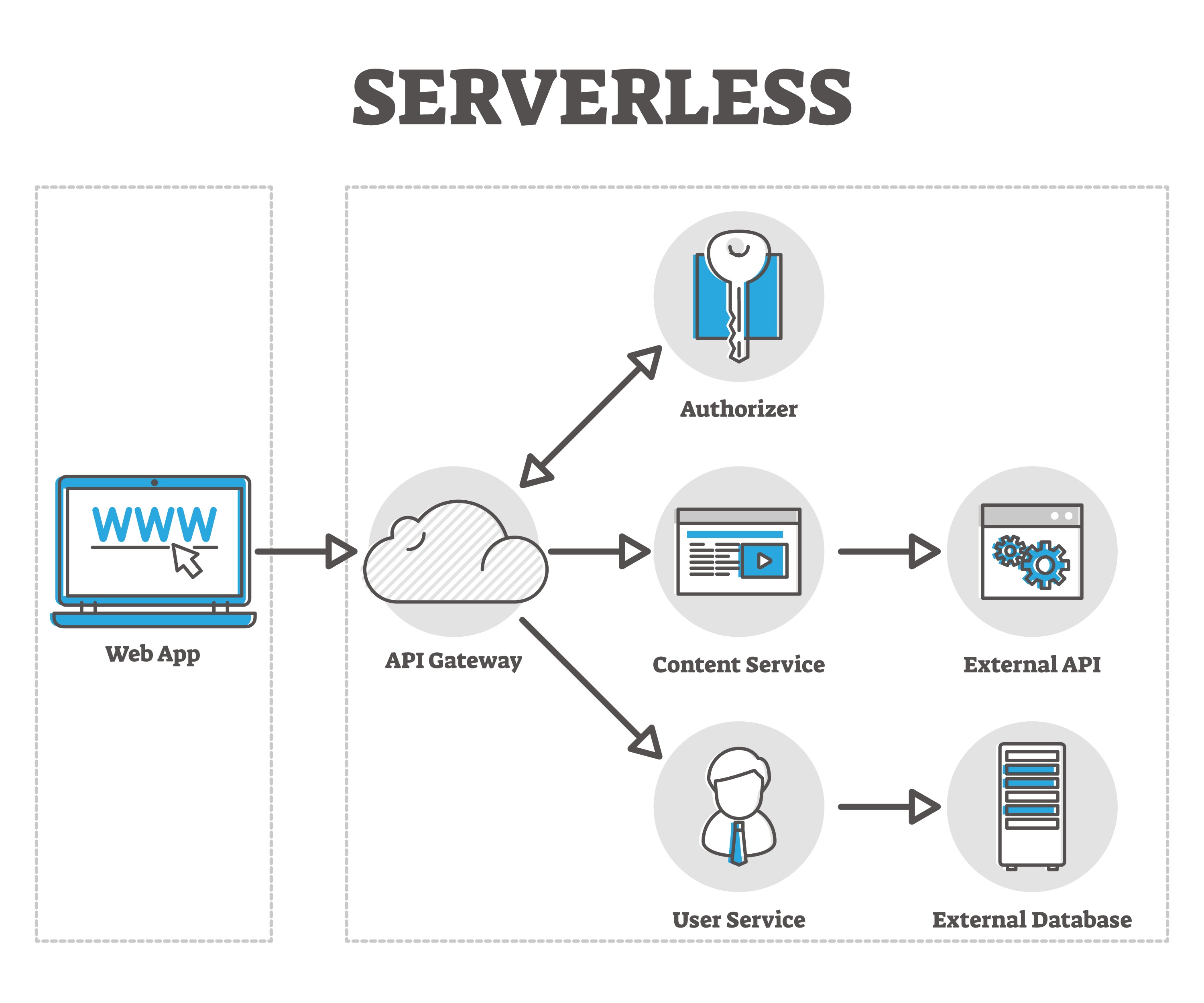
Your app's backend determines how well it performs under pressure and how easily you can add new features. Users never see this infrastructure, but they definitely feel it when it's slow or unreliable. Planning your backend architecture early saves you from expensive rebuilds when your user base grows beyond your initial expectations.
Database Design That Won't Break Under Pressure
Database architecture affects every aspect of your app's performance, from loading speeds to feature complexity. According to "Daily and monthly active users are two of the clearest indicators of app health... A strong DAU/MAU ratio points to habitual usage, while a low one can be an early warning sign of churn or weak product-market fit" (Braze). This makes proper database design crucial for tracking and supporting user engagement at scale.
- SQL vs. NoSQL: Relational databases (PostgreSQL, MySQL) excel at complex relationships and data consistency, while NoSQL options (MongoDB, Firebase) offer flexible schemas and easier scaling.
- Structuring Data: Data modeling involves planning relationships, defining keys, and optimizing for future scaling needs.
Database Planning Checklist:
- ☐ Define core data entities and relationships
- ☐ Plan for user authentication and permissions
- ☐ Design indexes for common query patterns
- ☐ Consider data backup and recovery strategies
- ☐ Plan for horizontal scaling if needed
- ☐ Implement proper data validation rules
- ☐ Design for GDPR/privacy compliance from the start
APIs That Connect Everything Seamlessly
APIs enable communication between your mobile app and backend services while integrating third-party functionality.
- RESTful Architecture: Provides predictable endpoints following standard conventions.
- Security: Implement JWT tokens or OAuth providers to protect sensitive user data.
Cloud Infrastructure That Scales With Success
Hosting solutions need to handle current requirements while providing room for growth without performance issues. You're choosing between different cloud platforms (AWS, Google Cloud, Azure) based on technical needs, budget constraints, and integration requirements with your development stack.
Testing Like Your Success Depends on It (Because It Does)
Testing isn't just about finding bugs - it's about ensuring your app works for real people in real situations. I've seen apps with perfect code fail because they didn't account for slow networks, older devices, or how users actually interact with interfaces. Comprehensive testing catches both technical issues and user experience problems before they damage your reputation.
Research shows that "the average Android app loses about 80% of its daily active users within the first three days, and about 90% by the first month" (Amplitude). This dramatic drop-off makes thorough testing absolutely critical for user retention and long-term success.
Automated and Manual Testing That Catches Everything
Combining automated testing tools with human evaluation ensures you catch both technical bugs and usability issues. Automated tests handle repetitive checks and regression testing, while manual testing reveals user experience problems that code can't detect.
Testing Strategy Checklist:
- ☐ Set up automated unit tests for core functions
- ☐ Implement integration tests for API endpoints
- ☐ Create UI automation tests for critical user flows
- ☐ Test across multiple device types and OS versions
- ☐ Validate app performance under different network conditions
- ☐ Test offline functionality and data synchronization
- ☐ Verify security measures and data encryption
- ☐ Conduct accessibility testing for inclusive design
Beta Testing with Real Users in Real Situations
Beta testing reveals how your app performs when real people use it for actual tasks. Platform beta programs like TestFlight (iOS) and Google Play Console provide real feedback before public launch, enabling final improvements based on actual user behavior.
Launch Strategy and Growing Your User Base
Building a great app is only half the challenge - getting people to discover and download it requires strategic marketing and optimization. App stores are crowded marketplaces where visibility determines success more than features.
App Store Optimization That Gets You Discovered
App store optimization (ASO) determines whether potential users find your app when searching for solutions. You're competing for attention in crowded categories where small differences in keywords, screenshots, and descriptions can dramatically impact download rates.
App Store Optimization Checklist:
- ☐ Research relevant keywords with good search volume
- ☐ Write compelling app title with primary keyword
- ☐ Create detailed description highlighting key benefits
- ☐ Design eye-catching icon that stands out
- ☐ Produce high-quality screenshots showing key features
- ☐ Create engaging preview video (if applicable)
- ☐ Encourage satisfied beta users to leave early reviews
- ☐ Monitor and respond to user reviews promptly
Analytics That Guide Smart Decisions
Tools like Firebase Analytics, Mixpanel, and Amplitude track user behavior and identify friction points in your app experience. According to "the average retention rate globally across 31 mobile app categories is 25.3% on Day 1 before crashing to 5.7% by Day 30" (Braze). This makes analytics-driven optimization crucial for improving these retention numbers and building sustainable growth.
How Minimum Code Accelerates Your App Development Journey
Mastering the art of building an MVP with modern tools can dramatically reduce your time to market and development costs.
Traditional app development often leads to months of delays, budget overruns, and features nobody wants. Minimum Code specializes in transforming app ideas into reality using cutting-edge no-code and low-code platforms like Bubble and FlutterFlow. Instead of spending months on traditional development, you can validate your concept with real users in weeks.
+1
Their approach addresses the critical validation phase - helping you talk to users before building, create clickable prototypes for testing, and iterate based on actual feedback rather than assumptions. By leveraging visual development platforms and AI-powered tools, Minimum Code eliminates technical barriers that typically slow down app development. Whether you need comprehensive end-to-end development or ongoing product support for scaling, their expertise in modern development approaches means you can focus on what matters most: solving real problems for real users and getting to market fast.
The future of app development isn't about choosing between speed and quality—it's about using the right tools and expertise to achieve both. Minimum Code bridges that gap, turning the complex journey outlined in this guide into a streamlined path from idea to successful launch.
Ready to skip the traditional development headaches and get your app to market faster? Contact Minimum Code today to discuss how no-code solutions can accelerate your app development timeline.
Final Thoughts
Creating a mobile app doesn't have to be the overwhelming, expensive nightmare that most people expect. The key is starting with real user problems, choosing the right development approach for your situation, and staying focused on solving actual pain points rather than building features that sound cool.
I've seen too many entrepreneurs burn through their savings building apps nobody wanted because they skipped the validation phase. Don't be one of them. Talk to real users, test your assumptions, and iterate based on feedback rather than your own preferences.
The development landscape has evolved dramatically. You're no longer stuck choosing between expensive custom development and compromised functionality. Modern no-code and low-code platforms can get you to market faster while maintaining professional quality and user experience. Remember that launching your app is just the beginning. Success comes from continuous improvement based on real user behavior, not from building the perfect app in isolation. Start small, validate early, and scale based on what actually works for your users.
.avif)


Neuste Artikel


Bereit, Ihr Produkt zu bauen?
